Website Audit Report Example
This is what your client receives. One URL in, 18 analyzers across 8 tabs, and an AI action plan that names the fixes in priority order — then the whole thing as a PDF under your agency's name. Below is one audit read from the outside, scores and findings and all.
About this sample: Northwind Dental is a fictional client and northwind-dental.example is a reserved-TLD domain that can never be registered by anyone, so nothing here lands on a real business. The findings and the scores are the shape and the arithmetic of a genuine audit of a small WordPress site — every number reconciles with the formulas published in the analyzer reference. Real audits list every finding; this page shows a representative few per tab.
The Audit at a Glance
The first screen after a scan. Six headline numbers, deliberately never rolled into one grade — an overall score of 78 sitting next to a GEO score of 46 tells you where to spend the afternoon, which a single letter never would.
Average of the four Lighthouse scores below
The 100-point composite built from 8 weighted components
No structured data anywhere
Our WCAG analyzer, not Lighthouse: 4 errors at 10 points each
3 of 6 headers present and valid
Specificity, !important, and a11y features
The Lighthouse Quartet Behind the Overall Score
The overall score is the plain average of these four Google PageSpeed Insights results: (58 + 84 + 79 + 92) ÷ 4 = 78. When the PageSpeed phase fails or times out, there is no overall score at all rather than a guess.
Mobile
Mobile
Mobile
Mobile
Scan Details
| URL audited | https://northwind-dental.example |
| Pages crawled | 20 — the per-scan crawl cap |
| Scan time | 22 s core phase, then 41 s for PageSpeed |
| SSL certificate | Valid, Let's Encrypt, 41 days remaining |
| Stack detected | WordPress, Nginx, Cloudflare, Google Tag Manager, jQuery |
The AI Action Plan
Every audit ends with an executive summary and a ranked list of fixes, each one grounded in that audit's own findings rather than in generic advice. It is included on every plan, it goes into the PDF unless you switch it off, and this is exactly the format a client reads.
Executive Summary
The foundations here are sound: a valid certificate, a clean crawl of all 20 pages, and a title tag on every one of them. The gaps are in three places a prospective patient would actually feel. The homepage takes 4.1 seconds to paint its main content on mobile, the two highest-risk security headers are absent, and accessibility is the lowest score on this report — four WCAG errors, one of them a field on the appointment form that screen-reader users cannot identify. All four are critical-impact failures, which is why accessibility heads the list below and the performance and header work sits behind it.
Recommendations, Highest Priority First
Label the phone field on the appointment form
Three of the form's four inputs have a matching label element. The phone field has only placeholder text, so a screen reader announces it as an unlabeled edit box — on the form that books appointments.
Fix: Add <label for="phone">Phone number</label>. A placeholder is not a label: it is unreadable to assistive technology and it disappears the moment someone types.
Add an alt attribute to the practice-team photograph
The image carries no alt attribute at all, so a screen reader falls back to reading the file name. Two more images on the site have the same problem, and each one is reported and ranked separately.
Fix: Describe what the image shows in context — alt="Dr Chen and the reception team at the Northwind Dental front desk". Decorative images take alt="" instead, which tells assistive technology to skip them.
Add Content-Security-Policy and Strict-Transport-Security headers
Both are missing. Without HSTS, a first visit over http:// is exposed before the redirect fires; without a CSP, any injected script runs with the same trust as your own code. These are the two highest-risk headers of the six checked.
Fix: Send Strict-Transport-Security: max-age=31536000; includeSubDomains, and roll out CSP in report-only mode first so you can see what it would block before you enforce it.
Largest Contentful Paint is 4.1 s on mobile
The hero photograph is the element Lighthouse measures, and it ships as a 1.8 MB JPEG at full resolution that the browser then scales down. Total Blocking Time of 610 ms compounds it, because three page-builder scripts load in the head.
Fix: Export the hero at the size it actually renders, serve WebP with a JPEG fallback, and mark it fetchpriority="high" so it is not queued behind those scripts.
Add Organization and FAQPage structured data
The site ships no JSON-LD at all, so an AI answer engine has no machine-readable statement of who the practice is or what it answers. The Common Questions page is already written as questions followed by short answers — the shape FAQPage exists to describe.
Fix: Add an Organization block site-wide and a FAQPage block on the questions page. Mark up only what is genuinely on the page; invented schema is worse than none.
Two service pages ship without a meta description
The whitening and implants pages have none, so search engines write their own snippet from whatever body copy they find first. A third page's description is 38 characters, short enough to read as truncated.
Fix: Write a 150-160 character description for each of the three pages, leading with the service itself rather than the practice name.
In the app the card shows the top three and expands to the rest, and each recommendation links straight to the tab holding the finding behind it. Recommendations are AI-generated from your audit's results, so read them before they go to a client. The ranking is ours, not the model's: severity is assigned by our analyzers before the model sees anything, and whatever order it returns, we re-sort the list — all critical first, then high, then medium — and cap its length. The prose is the model's. That ranking is why two accessibility errors outrank the missing security headers here: every image with no alt attribute and every unlabeled input is a critical-impact WCAG failure, and each one is reported as its own finding. A real run of this audit would open with four of them — one per alt-less image, plus the phone field — where this page prints one image item and moves on.
Findings, Tab by Tab
Eight tabs, each backed by its own analyzers. Below is a representative slice of each one — a real audit lists everything it found, including the checks that passed. The Overview tab is the scores and scan details above.
PageSpeed
Performance 58 · Accessibility 84 · Best Practices 79 · SEO 92
- Largest Contentful Paint 4.1 s — the hero image is a 1.8 MB JPEG served at full resolution.
- Total Blocking Time 610 ms, from three render-blocking page-builder scripts in the head.
- Cumulative Layout Shift 0.02 and First Contentful Paint 2.4 s — both fine; nothing to fix here.
Accessibility
35 / 100
- Four errors, 10 points each: three images carry no alt attribute at all, and the phone field on the appointment form has no label. That leaves 22 of 25 images with alt text (88% completeness) and 3 of 4 inputs labeled (75%), which cost a further 2.4 and 7.5 points — missing alt attributes and unlabeled inputs are counted both ways by design. All four carry a WCAG impact of critical, which is what puts them at the top of the AI action plan above.
- Five warnings, 3 points each: four "Read more" links with no surrounding context, and one video without captions.
- Landmarks, heading order, the lang attribute, the page title and focus styles all check out, so the semantic-HTML adjustment costs nothing. Lighthouse scores the same page 84 for accessibility — our analyzer is the stricter of the two, and the report shows both rather than picking one.
SEO
Composite 76 / 100
- All 20 pages have titles. Two have no meta description and one is 38 characters, so metadata consistency scores 77.
- 47 of 50 checked links returned 2xx or 3xx — link health 94. The three failures: two 404s and one 500 on an external directory listing.
- 3 pages carry no canonical tag (canonicals 85); 6 internal redirects, five of them single hops that cost nothing and one a two-hop chain (redirects 88).
- Sitemap present but missing 3 crawled pages (94); 2 of the 20 internal URLs this audit discovered are orphaned, linked from nowhere (90). The orphan score divides by everything discovered — crawled pages, the links they point at, sitemap entries — which here is exactly the 20 pages crawled.
AI Readiness
GEO 46 / 100
- Zero JSON-LD blocks, so Organization, FAQPage and HowTo schema are all absent — the single largest component of the GEO score.
- 20 of the 22 AI crawlers we check are allowed. robots.txt blocks GPTBot and CCBot, both training crawlers; every search indexer and assistant fetcher is open, so AI citations are not being turned away.
- One H1, six H2s, no question-and-answer heading pattern and no FAQ section. Flesch reading ease 52, just under the 55-70 band that reads best in AI answers.
- No llms.txt. Reported for context only — no major AI search crawler fetches it today, though Google's Lighthouse now includes an llms.txt check in its Agentic Browsing category.
Security
Headers 50 / 100
- Present: X-Frame-Options (SAMEORIGIN), X-Content-Type-Options (nosniff), Referrer-Policy.
- Missing: Content-Security-Policy and Strict-Transport-Security, the two rated high risk, plus Permissions-Policy.
- Certificate valid, issued by Let's Encrypt, 41 days remaining. Two homepage images are referenced over http:// from an https:// page, so mixed content scores 80.
CSS
82 / 100
- 63 !important declarations across four stylesheets and an average selector specificity of 112, both over the thresholds that cost points, plus four individual selectors above 300.
- Focus styles are defined. There is no prefers-reduced-motion query and no dark-mode support.
- No CSS framework detected: the payload is the theme's own stylesheet plus one the page builder injects.
Hosting
Informational — no score
- Nginx behind Cloudflare. Two A records and two AAAA records, all Cloudflare edge addresses, so the origin server is not exposed in DNS.
- MX records point at Google Workspace. The TXT records include an SPF entry but no DMARC policy.
- Five technologies detected, all at high confidence: WordPress, Nginx, Cloudflare, Google Tag Manager, jQuery.
What the Results Screen Looks Like
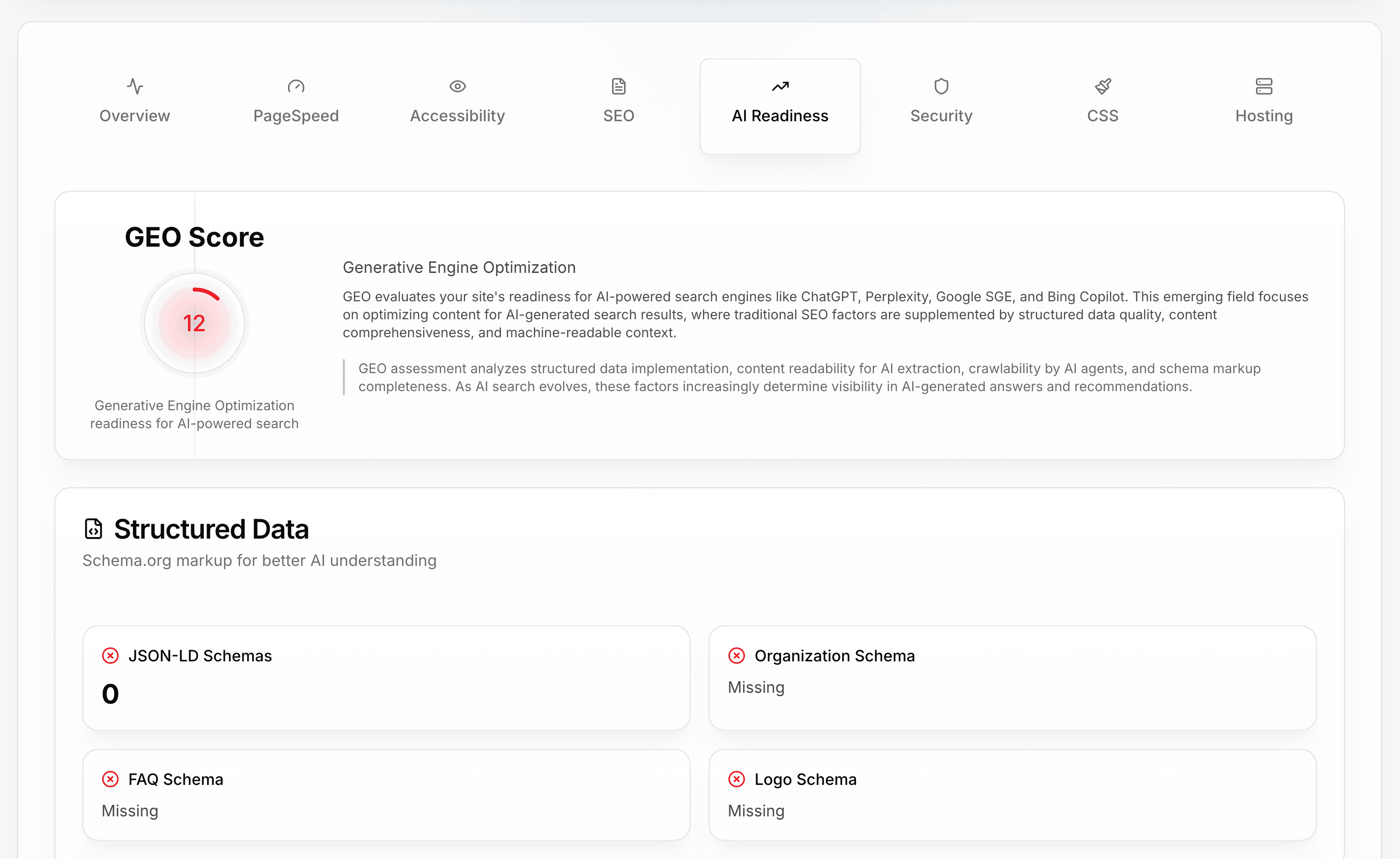
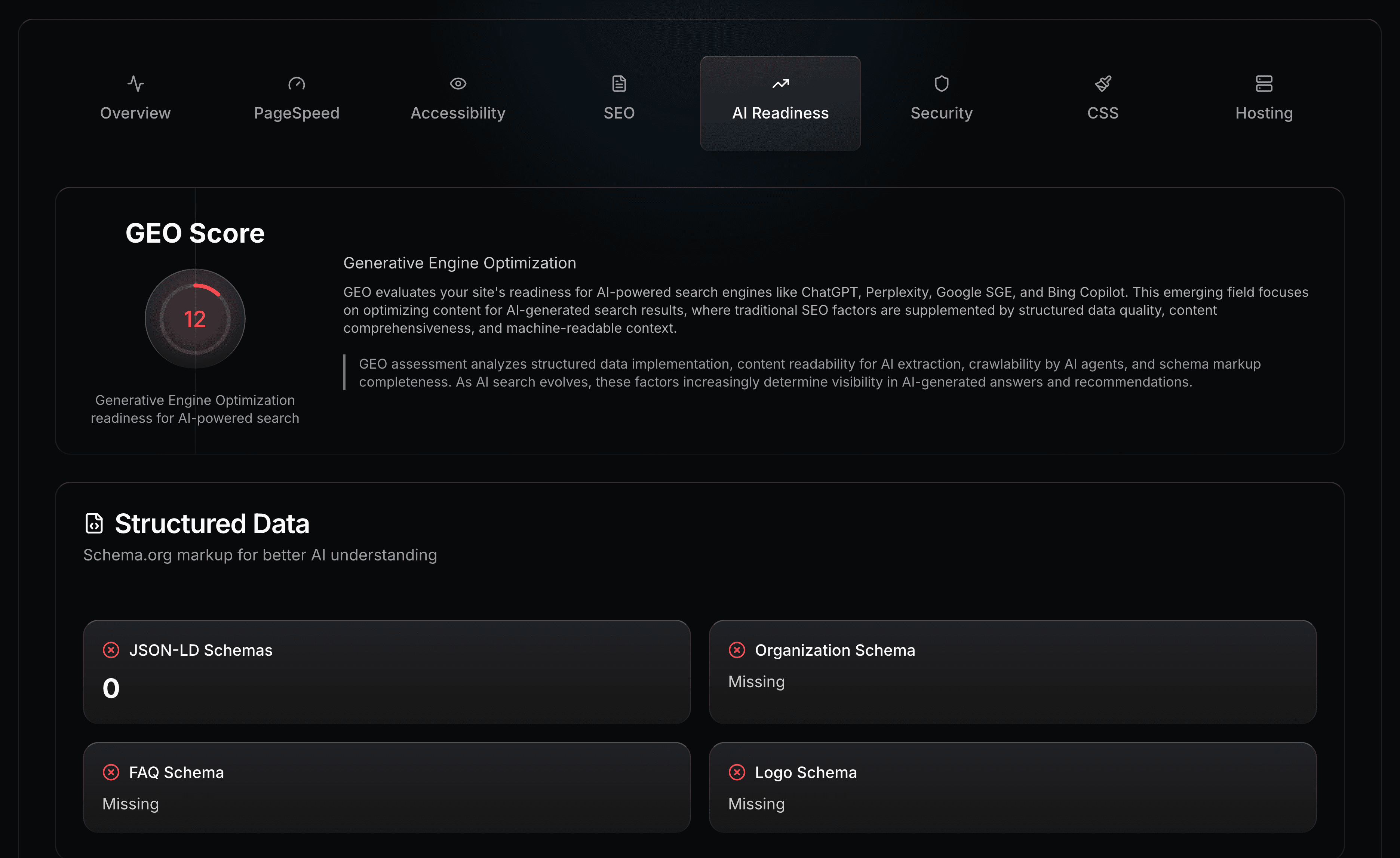
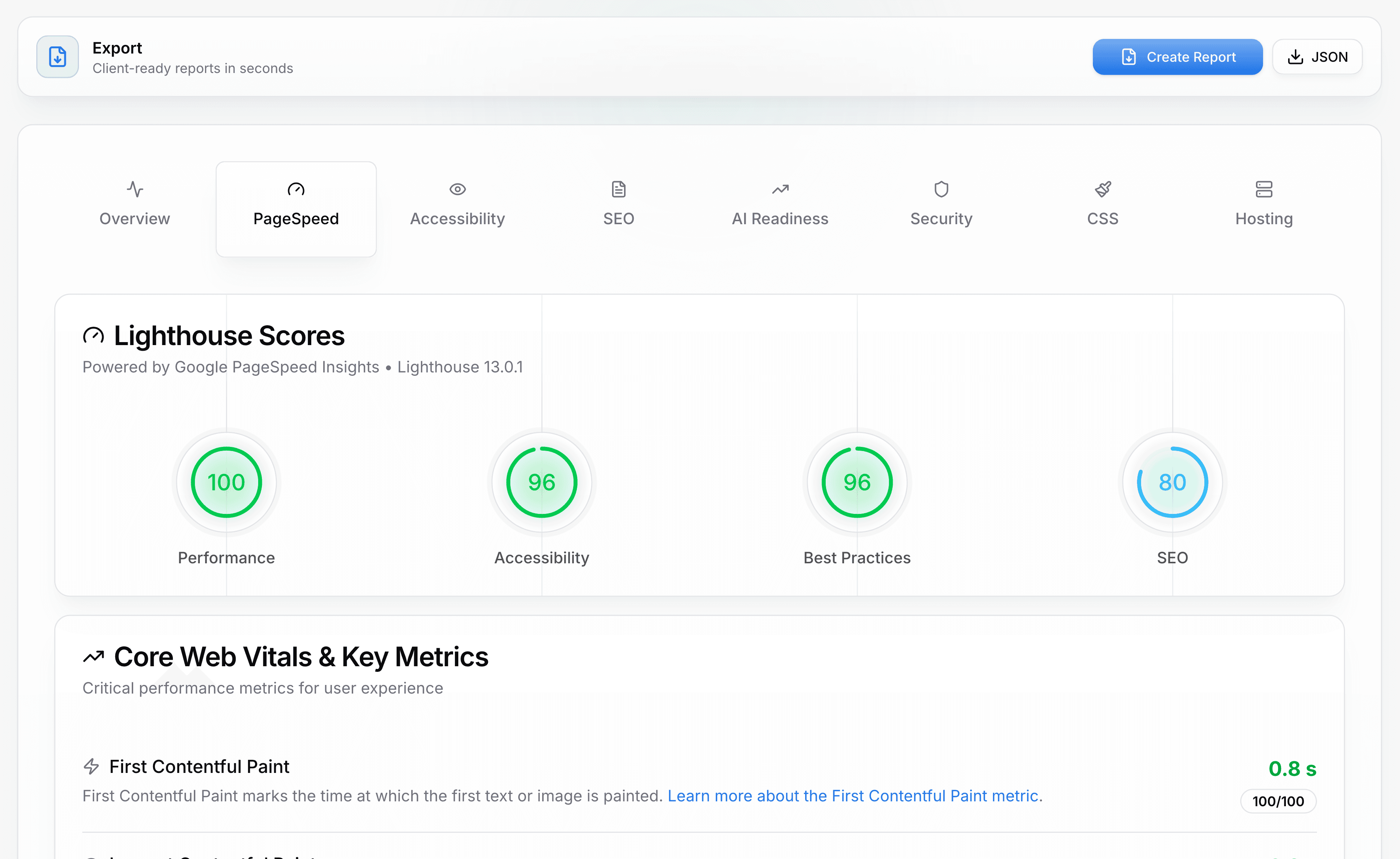
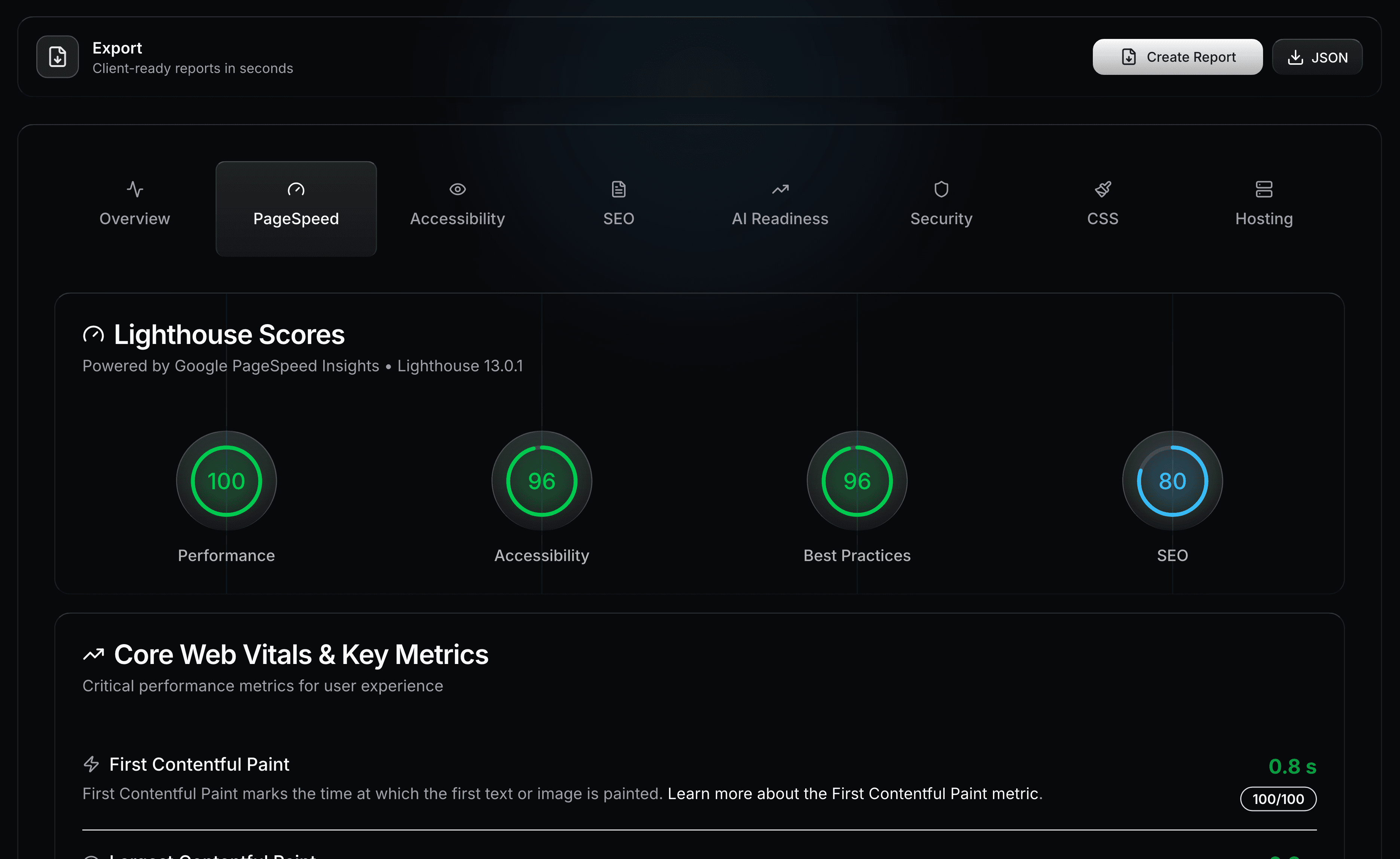
Findings like the ones above, on screen, before anything is exported. Both shots below are from a real scan of example.com, not from the Northwind sample — a nearly-empty page makes a poor client story but an honest screenshot.
What the Client PDF Contains
Everything above, laid out for someone who was not in the room. The report opens with your agency name and logo top right, the audited domain as the title, and a "Prepared for" line carrying the client name and logo when you set them. It closes with a footer reading "Prepared by {your agency name}". On the Starter plan those branding fields are ignored and the report carries Web Audit Suite branding instead; white-label is a Pro and Agency feature.
The eight tab sections are independently toggleable, so a performance-only report for a developer and a full technical audit for a marketing director come off the same scan. The AI Recommendations block has its own toggle and is on by default. Layout is fixed — A4, portrait — and the file downloads as website-analysis-{domain}-{date}.pdf.
On the Agency plan the same audit also exports as versioned JSON, and the REST API returns that same structure with two differences: it wraps the audit in id, status and _links, and it leaves out one optional block — aiSuggestions — that only a download from the app carries. White-label reports and JSON export documents the section list, the branding fields, and the export schema in full.
Run This on Your Own Site
A scan takes about a minute: 17 analyzers finish in the core phase while PageSpeed runs behind them, and the tabs fill in as results land. Starter and Pro include a 7-day free trial.
Start a free trial- Free AI visibility checker — run the AI Readiness tab above against your own URL, no account needed.
- How to run a website audit — signing up, the two scan phases, and their timings.
- Website audit scores explained — where every number on this page comes from.
- The 18 website audit checks we run — the exact formula behind each score above.